How Often to Replace Dehumidifier Filter: A Complete Guide
Editorial note: Rare One is reader-supported. We may earn a commission if you buy through links on our site, at no extra cost to you. Our recommendations focus on practical fit, features, value, and common buyer concerns.
📑 In This Article
- How Often To Replace Dehumidifier Filter - Quick Answer
- Most Common Causes for Dehumidifier Issues Related to Filters
- Step-by-Step Checks You Can Do Safely
- What Not to Do
- Safety and Editorial Note
- Should You Repair, Replace, or Upgrade?
- How to Prevent This Problem Next Time
- Related Buying Advice
How Often To Replace Dehumidifier Filter - Quick Answer
The frequency for replacing your dehumidifier filter typically ranges from every 1 to 6 months, depending on the filter type, your unit's usage, and the air quality in your environment. Disposable filters often need changing more frequently, while washable or permanent filters require regular cleaning, usually monthly, and replacement only when visibly damaged or degraded.
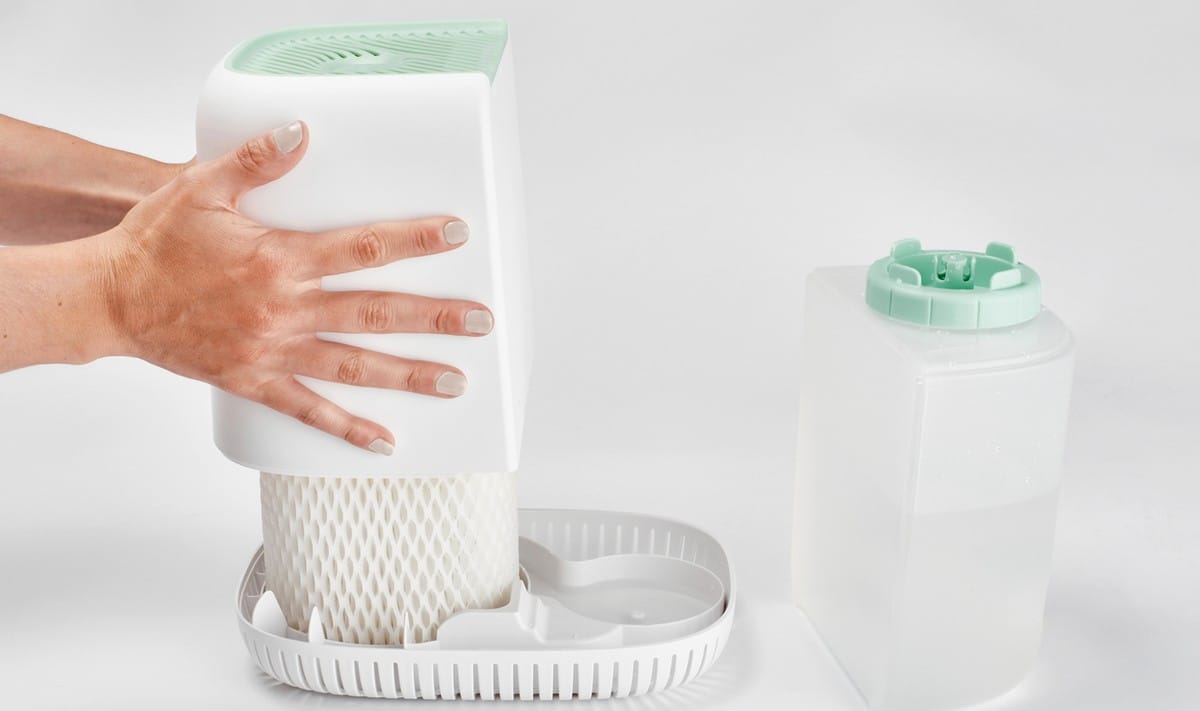
If your dehumidifier isn't performing as expected, always check the filter first. A clogged filter is a very common culprit for reduced efficiency, increased noise, or even the unit shutting down. Most filters are easy to access and either clean or replace. If cleaning or replacing the filter doesn't resolve the issue, or if you suspect a more serious internal problem, consult your unit's manual or a qualified appliance technician.
Most Common Causes for Dehumidifier Issues Related to Filters
A properly maintained filter is crucial for your dehumidifier's performance. Here's a look at common issues that stem from filter neglect:
| Possible Cause | What It Looks Like | What to Check First |
|---|---|---|
| Clogged Air Filter | Reduced airflow, unit running constantly without much water collection, unusual noises, higher energy consumption, or a musty smell from the dehumidifier. | Inspect the filter for visible dust, dirt, pet hair, or debris accumulation. |
| Incorrect Filter Type | Poor air filtration, reduced efficiency, or improper fit causing air to bypass the filter. | Verify the filter matches the specifications in your dehumidifier's owner's manual. |
| Damaged or Torn Filter | Visible tears, holes, or bent frames allowing unfiltered air to pass through. | Remove the filter and visually inspect its condition from all angles. |
| Infrequent Cleaning/Replacement | Similar symptoms to a clogged filter, but occurring repeatedly despite initial cleaning efforts. | Review your maintenance schedule and compare it to recommended guidelines for your dehumidifier type and usage. |
| Environmental Factors | Rapid filter clogging due to high dust levels, pet dander, or construction activity in the area. | Consider the air quality in the dehumidifier's operating environment and adjust cleaning/replacement frequency accordingly. |
Step-by-Step Checks You Can Do Safely
Before you consider calling for service or buying a new unit, many filter-related problems can be resolved with a few simple, safe checks. Always unplug your dehumidifier before performing any maintenance.

1. Start With the Simple Checks
Many dehumidifier issues trace back to basic setup or maintenance. Begin with these straightforward steps.
- Check the Power Supply: Ensure the unit is securely plugged into a functioning outlet. Sometimes, a loose connection can cause intermittent operation or error lights that might seem like a malfunction.
- Inspect the Dehumidifier's Placement: Make sure there's adequate clearance around the unit (usually 6-12 inches) for proper airflow. Blocked vents can restrict air intake and exhaust, making the filter work harder and clog faster.
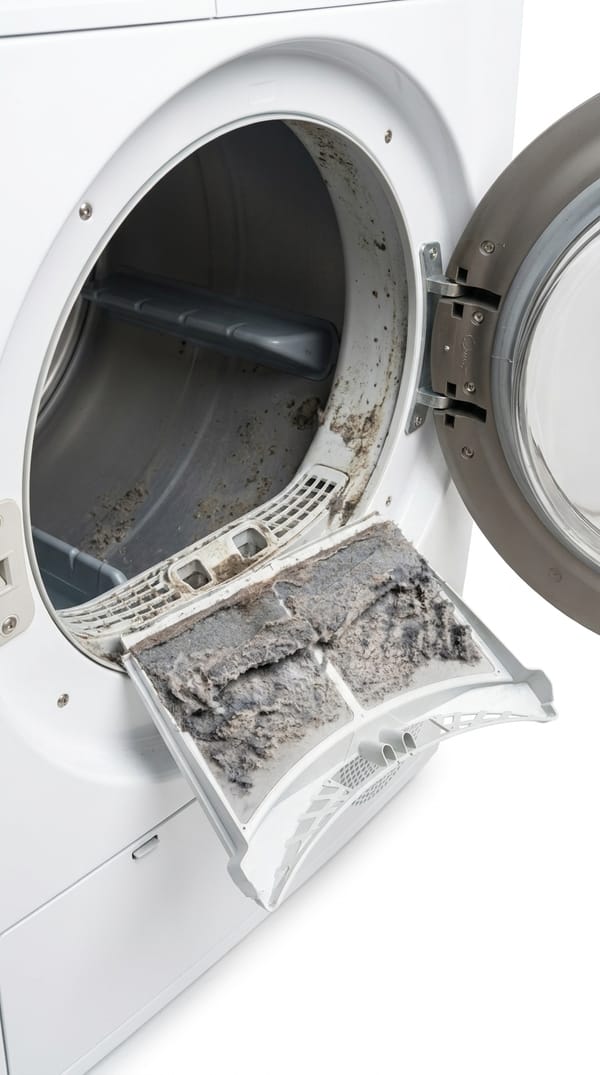
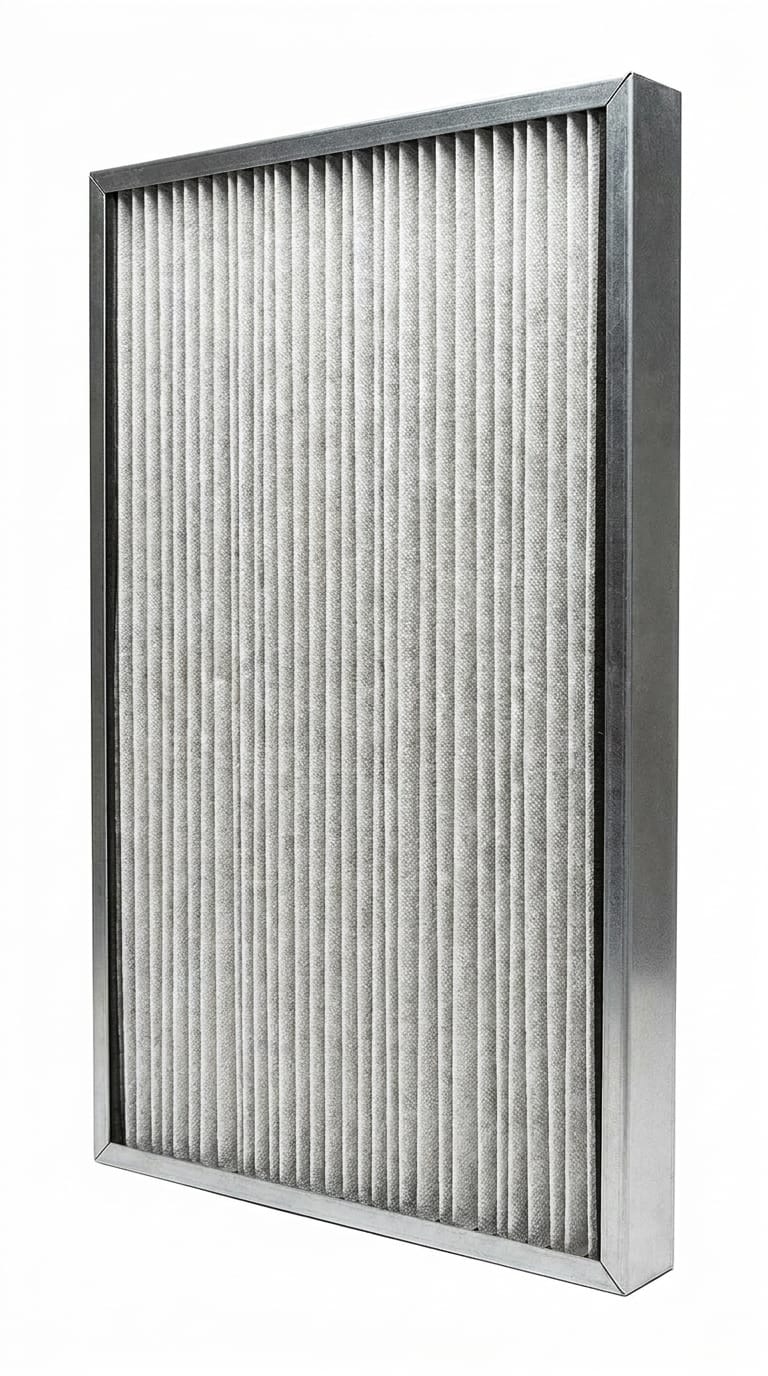
- Examine the Air Filter: This is often the quickest fix. Locate the filter compartment, usually on the back or side of the unit. Pull out the filter and visually inspect it. Is it covered in a thick layer of dust, pet hair, or debris?
- Verify Water Tank Status: Most dehumidifiers have a full-tank shut-off feature. Ensure the water tank isn't full and is correctly seated. If the tank is full, empty it. If it's empty but the unit isn't running, ensure it's pushed in all the way.
- Review Settings: Confirm the humidity setting is appropriate for your desired level (e.g., 40-50% relative humidity is common). If the setting is too high, the unit may not run much, leading you to believe it's broken.
2. Clean or Reset the Parts That Commonly Cause Trouble
Once you've identified a dirty filter, the next step is to clean or replace it. This is a common maintenance task that homeowners can perform safely.
- Cleaning a Washable Filter: If your dehumidifier has a washable filter (often made of nylon mesh), carefully remove it. Use a soft brush attachment on a cordless vacuum to remove loose dust, or rinse it under lukewarm water. Allow the filter to air dry completely before reinserting it. Never use harsh chemicals or a dishwasher, and ensure it's bone dry to prevent mold growth.
- Replacing a Disposable Filter: For disposable filters, simply remove the old, dirty filter and insert a new one of the correct size and type. Refer to your dehumidifier's manual for the exact specifications and replacement part numbers.
- Clean Air Intake and Exhaust Grilles: Even with a clean filter, dust can accumulate on the exterior grilles. Use a soft brush or the brush attachment of a vacuum cleaner to gently clean these areas, ensuring unrestricted airflow.
- Reset the Dehumidifier: After cleaning or replacing the filter, plug the unit back in. Some dehumidifiers have a "filter reset" button or require you to hold a specific button for a few seconds to clear a filter warning light. If not, simply turning it off, unplugging for a minute, and plugging it back in can sometimes resolve minor electronic glitches.
3. Watch for Signs the Problem Is More Serious
While filter maintenance resolves many issues, some problems indicate a need for professional attention. Do not attempt to fix these yourself.
- Persistent Leaking: If your dehumidifier is consistently leaking water even after checking the tank, drain hose, and ensuring proper leveling, it could indicate an internal component failure or a blockage within the condenser coil. This might involve refrigerant lines or sealed systems.
- Icing on Coils: Visible ice buildup on the cooling coils suggests a problem with the unit's defrost system, a refrigerant leak, or extremely low room temperatures. Icing issues can severely impact performance and may require specialized tools to diagnose.
- Unusual Noises or Smells (Beyond Musty): While a dirty filter can cause a musty smell (Why Does My Dehumidifier Smell Bad?), grinding, buzzing, or burning smells indicate potential motor or electrical issues. Immediately unplug the unit if you detect a burning smell.
- Unit Not Turning On or Responding: If the dehumidifier won't power on at all, or if the control panel is unresponsive after basic troubleshooting (power check, reset), there might be an electrical fault within the unit.
If you observe persistent leaking, icing, or unusual mechanical/electrical noises, stop troubleshooting immediately. These issues often involve sealed systems, refrigerants, or electrical components that are dangerous for DIY repair. Contact a qualified HVAC or appliance technician.
What Not to Do
When troubleshooting your dehumidifier filter or other common issues, avoid these actions to prevent further damage or safety hazards:
- Do Not Operate Without a Filter: Running your dehumidifier without a filter allows dust and debris to collect directly on the internal coils and components, significantly reducing efficiency and potentially causing permanent damage.
- Do Not Use Harsh Chemicals or Abrasives: When cleaning washable filters or the unit's exterior, avoid strong detergents, bleach, or abrasive pads. These can damage the filter material or the unit's finish and may leave chemical residues.
- Do Not Force Parts: If a filter or water tank doesn't slide in or out easily, do not force it. There might be a latch, a misalignment, or an obstruction. Forcing parts can break delicate plastic components.
- Do Not Attempt Electrical Repairs: Unless you are a qualified electrician, do not open the dehumidifier's casing to inspect or repair internal wiring, circuit boards, or sealed components. This poses a significant risk of electric shock and can void your warranty.
- Do Not Use Damaged Filters: A torn, bent, or otherwise compromised filter will not effectively trap contaminants. Replace it promptly rather than trying to patch it up.
Safety and Editorial Note
This guide focuses on safe homeowner checks, common maintenance causes, and clear decision points. We prioritize practical symptoms, manufacturer-style safety limits, and distinct escalation signs over risky DIY repairs. Always unplug your dehumidifier before beginning any inspection or cleaning, and never attempt repairs involving electrical components, refrigerant lines, or sealed systems. If in doubt, or if a problem persists, consulting a qualified professional is the safest and most effective course of action.
Should You Repair, Replace, or Upgrade?
Deciding whether to repair your dehumidifier, replace it, or consider an upgrade often comes down to a few key factors, especially if filter issues are a recurring problem or indicate deeper trouble.
- Age of the Unit: Dehumidifiers typically last 5-10 years. If your unit is approaching or beyond this lifespan, investing in a significant repair might not be cost-effective.
- Cost of Repair vs. Replacement: Get a quote for any professional repair. If the repair cost is more than 50% of the price of a new, comparable unit, replacement is usually the better option. Filter replacements are inexpensive, but compressor or refrigerant issues are costly.
- Energy Efficiency: Older dehumidifiers can be energy hogs. Newer models are significantly more energy-efficient, often carrying an Energy Star certification. A new unit could save you money on electricity bills over time, offsetting the purchase cost.
- Recurring Issues: If you're constantly troubleshooting the same problem, or if different problems keep cropping up (Dehumidifier Not Working? Top Fixes & When to Replace), it might be a sign that the unit is at the end of its functional life.
- Safety Concerns: Any issues involving electrical faults, burning smells, or persistent leaks that could damage your home should prompt a serious consideration for replacement rather than risky repairs.
For a basic filter replacement, it's always worth doing. If your dehumidifier is relatively new and the problem is more complex than a filter, a professional repair might be worthwhile. However, for older units with significant issues, upgrading to a modern, more efficient model often provides better long-term value and performance.
How to Prevent This Problem Next Time
Proactive maintenance can significantly extend the life of your dehumidifier and ensure it operates efficiently. Here are key habits to adopt:
- Regular Filter Checks: Inspect your dehumidifier filter at least once a month, especially during periods of heavy use or if you live in a dusty environment. This allows you to catch buildup before it becomes severe.
- Adhere to Cleaning/Replacement Schedule: For washable filters, clean them monthly. For disposable filters, plan to replace them every 1-3 months for standard use, or as recommended by the manufacturer. If you have a robot vacuum or pets, you might need to clean/replace more often.
- Maintain Proper Clearance: Ensure your dehumidifier always has ample space (6-12 inches) around its air intake and exhaust vents. This prevents restricted airflow, which can lead to rapid filter clogging and overheating.
- Keep the Area Clean: Regularly vacuum or dust the area around your dehumidifier to minimize airborne particles that the filter has to capture. This is especially important for pet owners.
- Monitor Humidity Levels: Use the unit's built-in humidistat or an external hygrometer to monitor the room's humidity. This helps you understand how hard your dehumidifier is working and if it's struggling due to a clogged filter.
- Clean the Water Bucket and Coils: Periodically clean the water collection bucket to prevent mold and mildew growth. While not directly filter-related, keeping the coils clean (as per your manual's instructions, without touching them directly) also improves overall efficiency.
Related Buying Advice
If you're considering replacing your dehumidifier, keep filter maintenance and efficiency in mind. Look for models with easily accessible, washable filters for long-term cost savings and convenience. Some advanced units feature indicator lights that alert you when it's time to clean or replace the filter. Prioritize Energy Star certified models for lower running costs, and consider the unit's capacity (pints removed per day) relative to your room size. A larger capacity unit might run less frequently in a smaller space, potentially extending filter life.
Frequently Asked Questions
How often to replace dehumidifier filter?
The general guideline is to replace disposable dehumidifier filters every 1 to 3 months, and clean washable filters monthly. However, this can vary based on your unit's usage, the air quality in your home (e.g., presence of pets, dust, or allergens), and the manufacturer's specific recommendations. Always refer to your dehumidifier's owner's manual for precise guidance.
How often to change Meaco dehumidifier filter or Aprilaire dehumidifier filter?
For specific brands like Meaco or Aprilaire, the best practice is to consult the owner's manual that came with your particular model. While general advice suggests 1-6 months for replacement, some built-in filters (like those in whole-home or crawl space units) may have longer intervals, such as every 6-12 months, depending on the filter type and system design. Always follow the manufacturer's instructions for your specific unit.
How often to change crawl space dehumidifier filter or Santa Fe dehumidifier filter?
Dehumidifiers in challenging environments like crawl spaces, or specialized units like Santa Fe models, often deal with higher levels of dust and humidity. For these, it's crucial to check the filter more frequently, typically every 1-3 months. Some heavy-duty units may have more robust filters designed for longer intervals, but regular inspection is key to ensuring optimal performance and preventing damage to the unit.
How to change dehumidifier filter?
To change your dehumidifier filter, first, unplug the unit for safety. Locate the filter compartment, usually on the back, side, or front of the unit, and open it. Carefully slide out the old filter. If it's a washable type, clean it thoroughly and let it air dry completely. If it's a disposable filter, discard it and insert a new, clean filter of the correct size and type. Ensure the filter is seated properly, close the compartment, and then plug the dehumidifier back in. Some units may require you to reset a filter indicator light.
What happens if I don't change my dehumidifier filter?
Failing to change or clean your dehumidifier filter regularly can lead to several problems. The most common issues include reduced dehumidifying efficiency, increased energy consumption as the unit works harder, diminished airflow, and potential damage to internal components from dust buildup. It can also cause your dehumidifier to smell bad (Why Does My Dehumidifier Smell Bad?) or even trigger an automatic shutdown if airflow becomes too restricted.