Humidifier Not Working? Troubleshooting Guide
Editorial note: Rare One is reader-supported. We may earn a commission if you buy through links on our site, at no extra cost to you. Our recommendations focus on practical fit, features, value, and common buyer concerns.
📑 In This Article
- Why Is My Humidifier Not Working - Quick Answer
- Most Common Causes
- Step-by-Step Checks You Can Do Safely
- What Not to Do
- Safety and Editorial Note
- Should You Repair, Replace, or Upgrade?
- How to Prevent This Problem Next Time
- Related Buying Advice
Why Is My Humidifier Not Working - Quick Answer
If your humidifier isn't working, the most common culprits are low water levels, mineral buildup from tap water, or a clogged filter. These issues can prevent the unit from producing mist or even powering on.
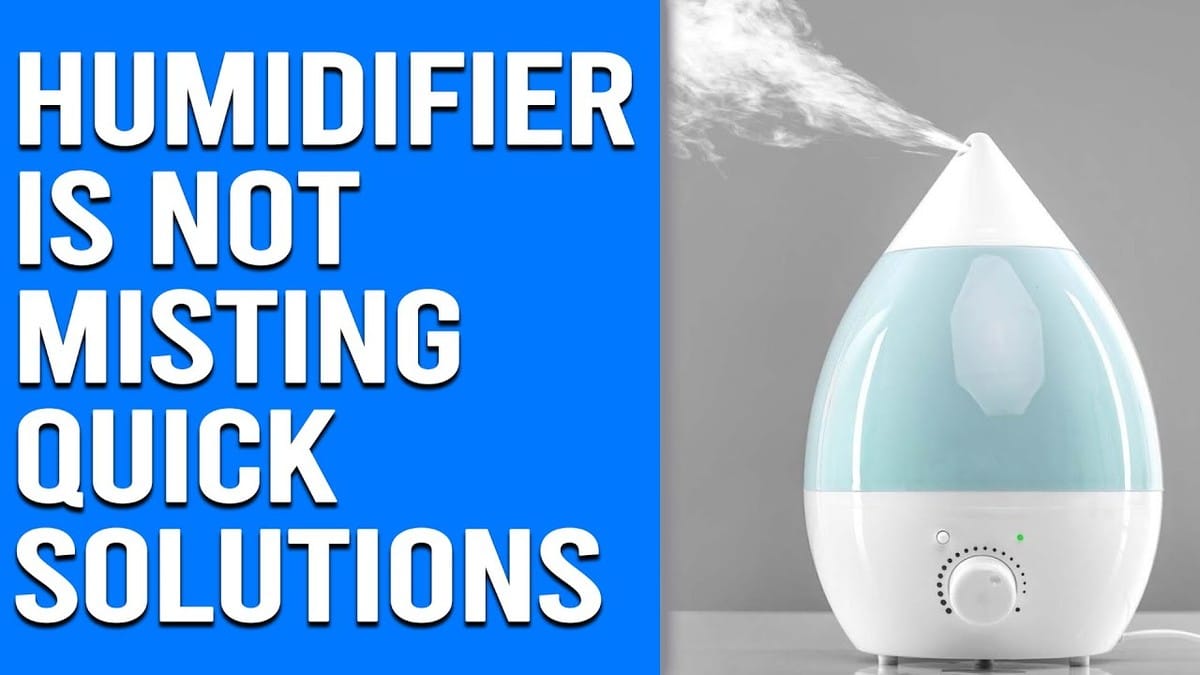
First, always check the power connection and water level. If those are fine, a thorough cleaning, especially descaling mineral deposits, often resolves the issue. Stop immediately if you detect burning smells, smoke, or electrical issues, and consult a qualified technician.
Most Common Causes
When your humidifier stops working, it can be frustrating. We've identified the most frequent reasons units fail to perform, along with initial checks you can do.
| Possible Cause | What It Looks Like | What to Check First |
|---|---|---|
| Low or Empty Water Tank | No mist, unit powers off, or a red indicator light flashes. | Ensure the tank is full and seated correctly on the base. |
| Mineral Buildup (White Dust) | No mist, weak mist, or a white powdery residue around the unit and on surfaces. | Inspect the water basin, transducer (ultrasonic models), or wick filter for hard, crusty deposits. |
| Clogged Filter or Wick | Reduced mist output, unit running but no humidity, or a damp, discolored filter. | Examine the wick filter (evaporative models) or demineralization cartridge for blockages or saturation. |
| Power Supply Issues | Unit completely unresponsive, no lights, or flickering power. | Verify the plug is fully inserted, the outlet is working, and the circuit breaker hasn't tripped. |
| Obstructed Airflow or Fan | Unit runs but no mist, or warm, dry air coming out (evaporative models). | Check if air intake/output vents are blocked by dust or objects, and listen for the fan. |
| Improper Reassembly After Cleaning | Unit stopped working after cleaning, or a specific error code/light appears. | Ensure all parts (tank, cap, filters) are correctly aligned and secured. |
Step-by-Step Checks You Can Do Safely
Before you consider replacing your unit, there are several safe and simple checks you can perform. These steps apply to most humidifier types, including common brands like Vicks, Levoit, and Frida, and even vaporizers.
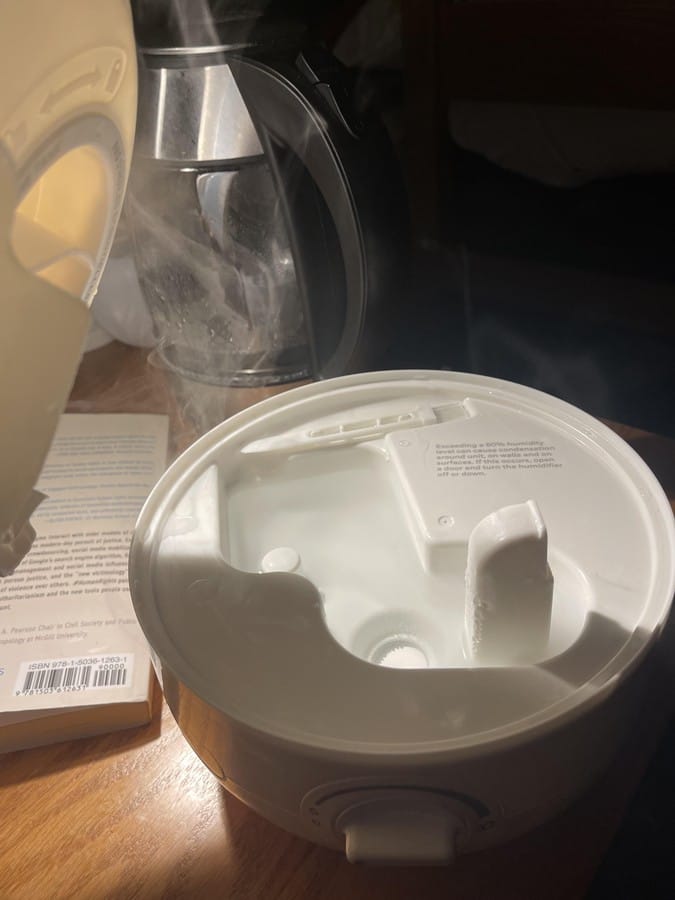
1. Start With the Simple Checks
Many issues can be resolved by addressing the basics. We always recommend starting here to rule out easy fixes.
- Check the Power Supply: First, ensure the humidifier is securely plugged into a working electrical outlet. Test the outlet with another appliance if possible. If the unit is connected to a power strip or extension cord, try plugging it directly into the wall. Also, check your home's circuit breaker box to see if a breaker has tripped.
- Verify Water Level and Tank Placement: An empty or low water tank is a frequent reason why your humidifier is not working. Fill the tank to the recommended level with clean, cool water. Make sure the tank is seated correctly on the base; an improper fit can prevent water flow to the transducer or wick filter.
- Review Settings: Confirm the humidifier is turned on and set to an appropriate humidity level or mist output. Some units have auto-shutoff features when a desired humidity is reached or the tank is empty. Check if any "sleep" or "timer" modes are active.
- Inspect for Airflow Obstructions: Ensure the air intake and output vents are clear of dust, lint, or other obstructions. Blocked vents can prevent proper air circulation, affecting mist output, especially in evaporative models. Give the vents a quick wipe with a dry cloth.
- For Furnace or CPAP Humidifiers: If you're troubleshooting a whole-house furnace humidifier or a CPAP machine humidifier, verify the water line is open and free of kinks. Ensure any external humidistat settings are correct and the unit is receiving water flow.
2. Clean or Reset the Parts That Commonly Cause Trouble
Mineral buildup is a primary culprit for a humidifier not misting or not working properly. Regular cleaning is key to preventing this.
- Descale Mineral Buildup: Over time, minerals from tap water can accumulate on internal components, particularly the transducer in ultrasonic humidifiers or the heating element in warm mist units. This buildup can drastically reduce efficiency or stop mist production entirely.
- Unplug the unit and empty any remaining water.
- Fill the water basin (not the tank) with undiluted white vinegar, ensuring it covers any mineral deposits. For stubborn buildup, you can let it sit for 20-30 minutes.
- Gently scrub with a soft brush (like an old toothbrush) or a cloth to remove the loosened mineral scale.
- Rinse the basin thoroughly with clean water until the vinegar smell is gone.
- Clean or Replace Filters: Clogged or dirty filters can prevent your humidifier from working properly.
- Wick Filters (Evaporative Humidifiers): If your evaporative humidifier is not working, inspect the wick filter. If it's stiff, discolored, or covered in mineral deposits, it needs cleaning or replacement. Some wicks can be gently rinsed, but often replacement is necessary. Check your model's manual for specific filter cleaning instructions and replacement intervals.
- Demineralization Cartridges: These cartridges help reduce white dust. If your unit has one, ensure it's not expired or completely saturated. Replace it as recommended by the manufacturer.
- Pre-Filters: Some humidifiers have small air filters. Clean or replace these if they appear dusty or blocked.
- Reset the Unit: Many humidifiers have a reset button or can be reset by unplugging them for 10-15 minutes. This can clear minor electronic glitches. If your humidifier stopped working after cleaning, ensure all parts are dry and correctly reassembled before plugging it back in and trying a reset.
3. Watch for Signs the Problem Is More Serious
While many humidifier issues are minor, some symptoms indicate a more serious problem that requires professional attention or unit replacement. Do not attempt to fix these yourself.
- Burning Smell or Smoke: If you detect a burning smell, see smoke, or notice discolored components, immediately unplug the humidifier. This could indicate an electrical short or overheating.
- Loud or Unusual Noises: Grinding, screeching, or persistent loud buzzing noises (beyond normal fan operation) could signal a failing motor or fan component.
- Electrical Sparks or Tripped Breakers: If plugging in or operating the humidifier consistently trips your circuit breaker or you see sparks, there's a serious electrical fault.
- Water Leaks from the Unit Itself: While minor spills can happen, if the unit itself is leaking water from its base or seams, it could indicate a cracked reservoir, faulty seal, or internal pump issue. This can pose a shock hazard.
Always prioritize safety. If you encounter any of these serious signs, unplug the humidifier immediately and do not attempt further DIY repairs. Consult a qualified appliance technician or consider replacing the unit.
What Not to Do
Attempting certain fixes can exacerbate the problem, damage your humidifier, or even create a safety hazard. We advise against these actions:
- Do NOT force parts: If a component isn't fitting easily after cleaning or reassembly, do not force it. This can break plastic tabs, seals, or crucial internal parts.
- Do NOT use harsh chemicals: Avoid using bleach, abrasive cleaners, or strong detergents for cleaning unless specifically recommended by your humidifier's manufacturer. These can damage plastic components, leave harmful residues, or corrode metal parts.
- Do NOT attempt electrical repairs: Unless you are a qualified electrician, never open the sealed electrical housing of your humidifier. Tampering with internal wiring or components can lead to electric shock or fire.
- Do NOT operate with visible damage: If the power cord is frayed, the plug is damaged, or the unit has significant cracks or leaks, do not operate it. Replace it or seek professional repair.
- Do NOT add essential oils directly to the water tank (unless specified): Many humidifiers are not designed for essential oils, which can degrade plastic components and void warranties. Use a diffuser instead, or only use oils in units specifically designed for them.
Safety and Editorial Note
This guide focuses on safe homeowner checks and common maintenance causes that explain why your humidifier is not working. Our aim is to provide practical, symptom-based troubleshooting and clear decision points. We prioritize safety by outlining what you can safely check and when to stop and call a professional. This information is based on general appliance operation and common issues, not specific brand diagnostics that might require proprietary tools or knowledge. Always refer to your humidifier's instruction manual for model-specific advice and warnings.
Should You Repair, Replace, or Upgrade?
Deciding whether to repair your humidifier or buy a new one depends on several factors. Consider these points before making a choice:
- Age of the Unit: If your humidifier is several years old (typically beyond 3-5 years for smaller units), its lifespan might be nearing its end. Newer models often offer better efficiency and features.
- Cost of Repair vs. New Unit: If the repair involves expensive parts or a professional technician, compare that cost to buying a new, comparable humidifier. Often, a new unit is more cost-effective.
- Recurring Issues: If you're constantly troubleshooting why your humidifier is not working, even after cleaning and basic fixes, it might be a sign of deeper, systemic problems. A new unit could offer more reliability.
- Safety Concerns: Any issues involving electrical components, persistent leaks, or burning smells warrant immediate replacement rather than repair, due to potential safety hazards.
- Energy Efficiency: Older humidifiers can be less energy-efficient. Upgrading might save you money on electricity bills in the long run.
- Desired Features: If you're considering an upgrade, think about features you might want, like smart controls, larger tank capacity, quieter operation, or integrated demineralization.
If the issue is minor, like mineral buildup or a dirty filter, cleaning or replacing the filter is a cost-effective repair. For anything more complex or safety-related, replacing is often the smarter choice.
How to Prevent This Problem Next Time
Consistent maintenance is the best way to ensure your humidifier operates reliably and to avoid asking why your humidifier is not working again.
- Daily Rinse: Empty and rinse the water tank and basin daily with fresh water. This prevents stagnant water and reduces mineral and mold buildup.
- Weekly Deep Clean: Perform a thorough descaling and disinfection weekly, following your manufacturer's instructions. Use white vinegar for descaling and a diluted bleach solution (e.g., 1 teaspoon bleach per gallon of water) for disinfection, ensuring a complete rinse afterward.
- Use Distilled Water: If possible, use distilled or demineralized water instead of tap water. This significantly reduces mineral buildup and "white dust" output, extending the life of your unit and its filters.
- Replace Filters Regularly: Adhere to the manufacturer's recommended schedule for replacing wick filters, demineralization cartridges, and any pre-filters. Clogged filters are a common reason for reduced performance. (This is also true for dehumidifiers).
- Proper Placement: Place the humidifier on a flat, water-resistant surface away from walls, furniture, and electronics to ensure proper airflow and prevent moisture damage.
- Store Properly: When not in use for extended periods, thoroughly clean, dry, and store your humidifier in a cool, dry place.
Related Buying Advice
If you find yourself needing to replace your humidifier, consider models with features that make maintenance easier and prevent future issues. Look for units with wide tank openings for easy cleaning, integrated demineralization features or a recommendation for distilled water, and clear filter replacement indicators. Some humidifiers also offer smart features like app control and integrated humidistats for precise humidity management, which can improve overall user experience and efficiency.
Frequently Asked Questions
Why is my humidifier not misting?
The most common reasons a humidifier isn't misting are an empty water tank, significant mineral buildup on the transducer or heating element, a clogged wick filter, or an obstruction in the mist output nozzle. Checking these components and cleaning them usually resolves the issue.
Why is my humidifier not working after cleaning?
If your humidifier stopped working after cleaning, it's often due to improper reassembly. Ensure all parts, including the water tank, caps, and filters, are correctly seated and aligned. Residual cleaning solution can also sometimes interfere with operation, so make sure everything is thoroughly rinsed and dry before reassembly.
What causes a humidifier to stop working?
A humidifier can stop working due to a variety of causes, including lack of power (unplugged, tripped breaker), an empty water tank, excessive mineral scale preventing water flow or mist production, a clogged or old filter, or an internal component malfunction such as a faulty fan or sensor.
Can I use tap water in my humidifier?
While you can use tap water in most humidifiers, it's generally not recommended. Tap water contains minerals that contribute to "white dust" and rapid mineral buildup on internal components, which can reduce efficiency and shorten the unit's lifespan. Distilled or demineralized water is preferred to minimize these issues.
How often should I clean my humidifier?
For optimal performance and hygiene, we recommend rinsing the water tank and basin daily and performing a deep cleaning and descaling once a week. This regular maintenance prevents the accumulation of mineral deposits and inhibits mold and bacteria growth, ensuring your humidifier provides clean, healthy mist.