Air Purifier Not Working? Top Reasons & Fixes
Editorial note: Rare One is reader-supported. We may earn a commission if you buy through links on our site, at no extra cost to you. Our recommendations focus on practical fit, features, value, and common buyer concerns.
📑 In This Article
- Why Is My Air Purifier Not Working - Quick Answer
- Most Common Causes
- Step-by-Step Checks You Can Do Safely
- What Not to Do
- Safety and Editorial Note
- Should You Repair, Replace, or Upgrade?
- How to Prevent This Problem Next Time
- Related Buying Advice
Why Is My Air Purifier Not Working - Quick Answer
If your air purifier isn't working, the most common culprits are a clogged filter, a loose power connection, or incorrect settings. Most issues can be resolved with simple checks and routine cleaning, but some problems might signal a need for professional attention or a replacement.
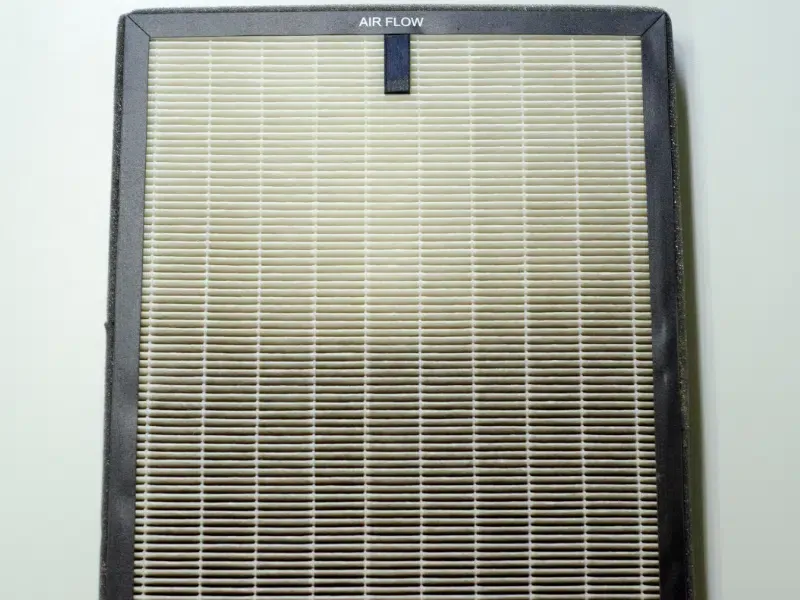
When your air purifier seems to stop working, begin by checking its power source and the condition of its filters. These are often quick, safe fixes. You can also safely clean pre-filters and air quality sensors, and try resetting the unit. However, if you detect burning smells, see sparks, or hear loud grinding noises from inside the unit, stop immediately and consult a qualified professional or the manufacturer's support.
Most Common Causes
Before diving into complex diagnostics, it's helpful to understand the most frequent reasons an air purifier might not perform as expected. Many of these issues are straightforward to identify and resolve.
| Possible Cause | What It Looks Like | What to Check First |
|---|---|---|
| Clogged or Dirty Filters | Reduced airflow, unit running louder than usual, strange odors, or a filter indicator light is on. | Inspect the pre-filter and main HEPA/carbon filters for heavy dust buildup. Check the manufacturer's recommended replacement schedule. |
| Power Supply Issues | The unit won't turn on, or it powers off unexpectedly. No lights or fan movement. | Ensure the power cord is securely plugged into both the unit and a working wall outlet. Check your home's circuit breaker. |
| Incorrect Settings | The unit seems to run but doesn't purify effectively, or the fan speed is too low. | Verify the fan speed, operating mode (e.g., auto, sleep), and ensure no timer is set to turn it off. Check for a child lock feature. |
| Blocked Airflow | The unit struggles to draw in or push out air, potentially leading to overheating or inefficiency. | Ensure the air intake and output vents are clear of obstructions like curtains, furniture, or dust. Maintain adequate space around the purifier. |
| Dirty Air Quality Sensor | The unit's "auto" mode doesn't adjust fan speed according to room air quality, or the air quality indicator seems inaccurate. | Locate the air quality sensor (usually a small vent or opening) and gently clean it of dust buildup. |
| Motor or Fan Malfunction | No fan noise, a grinding or buzzing sound, or a burning smell coming from the unit. | If you hear unusual mechanical noises or detect burning odors, power off the unit immediately and seek professional advice. |
Step-by-Step Checks You Can Do Safely
Before calling for service or considering a replacement, there are several safe and easy checks you can perform at home. These steps address the most common reasons why your air purifier isn't working correctly.
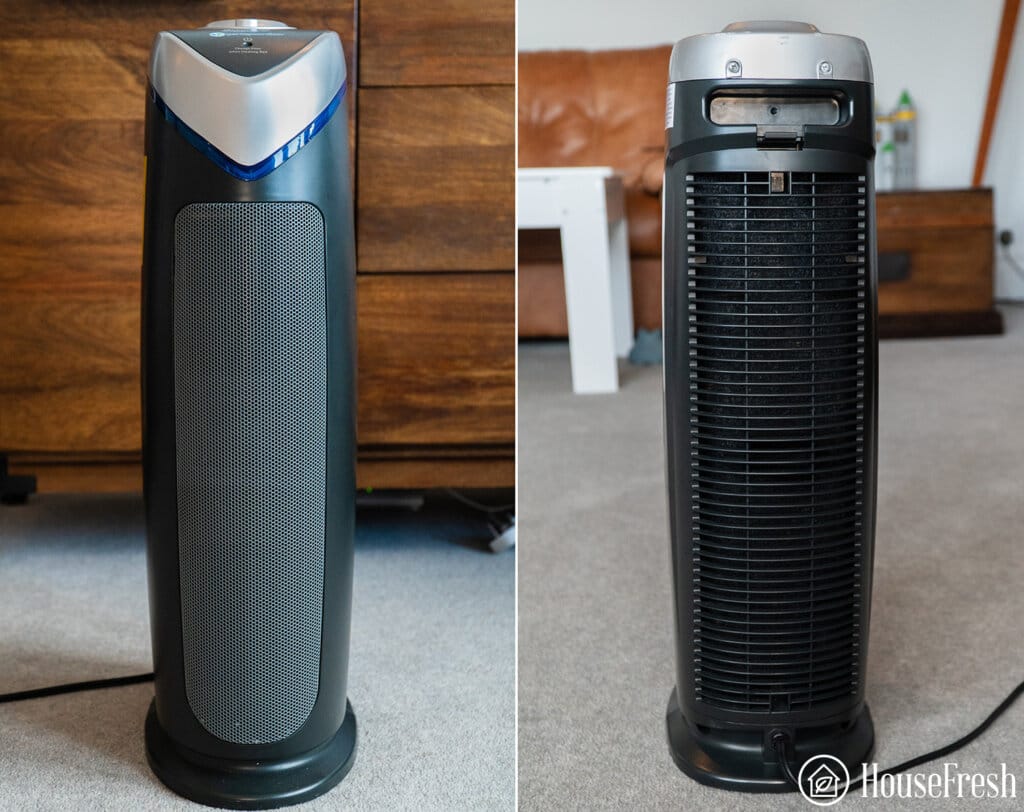
1. Start With the Simple Checks
Many problems have straightforward solutions. Begin by looking at the most basic aspects of your unit's operation.
- Verify Power Connection: Ensure the power cord is firmly plugged into both the air purifier and a functioning wall outlet. Try plugging another appliance into the same outlet to confirm it has power. Check your home's circuit breaker box if the outlet seems dead.
- Check Placement: Air purifiers need space to operate efficiently. Make sure the unit isn't pushed directly against a wall or furniture that could block its air intake or exhaust vents. Most manufacturers recommend at least 6-12 inches of clear space around all sides.
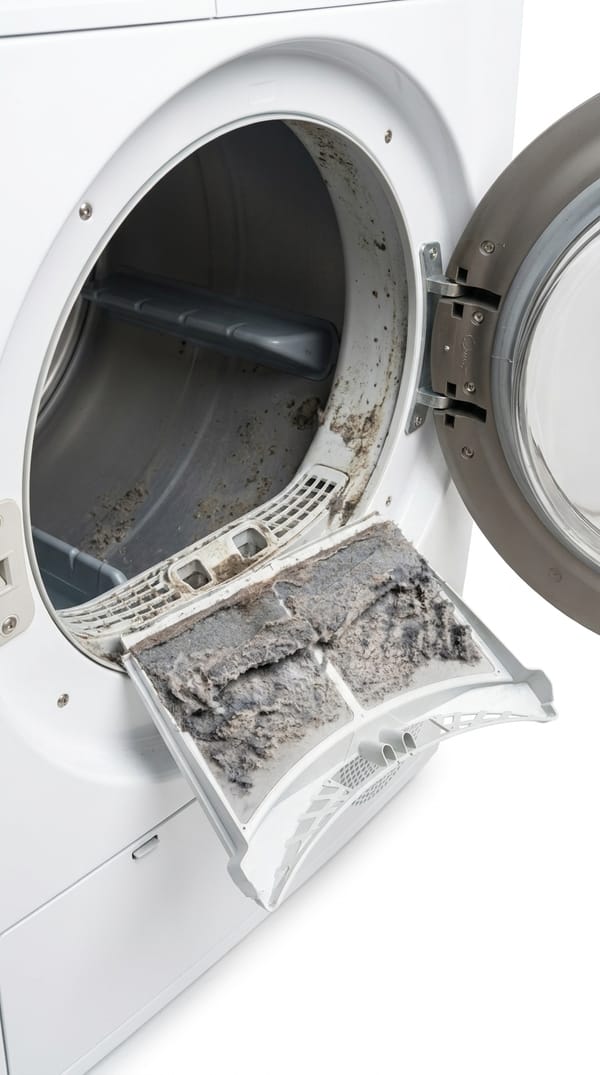
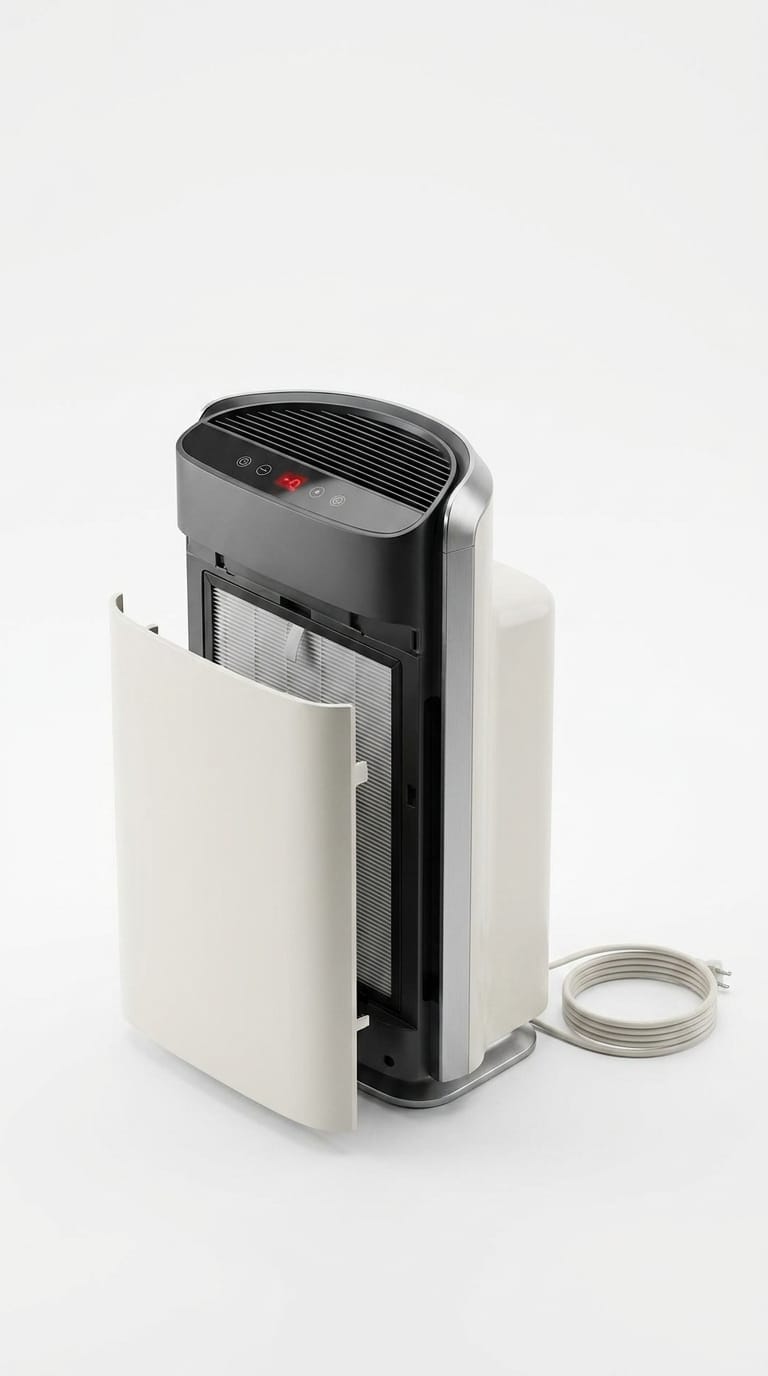
- Inspect Filters: This is arguably the most common issue. Open the filter compartment according to your user manual. Visually inspect the pre-filter for heavy dust and debris. Check the HEPA and activated carbon filters for discoloration or significant buildup. Many units have a filter replacement indicator light that will signal when it's time for a change.
- Review Settings: Confirm the air purifier is set to the correct operating mode (e.g., "Auto," "High," not "Sleep" if you need maximum purification). Ensure the fan speed is adequate for your room size. Check if a timer function is active, which might be turning the unit off unexpectedly. Some models also have a child lock that can prevent operation.
- Assess Airflow: Place your hand near the air output vent to feel for airflow. If the fan is running but you feel very little air, it strongly suggests a clogged filter or an obstruction within the unit's air pathways.
2. Clean or Reset the Parts That Commonly Cause Trouble
Regular maintenance can prevent many issues and restore your air purifier's performance. Always unplug the unit before performing any cleaning or maintenance.
- Clean the Pre-Filter: If your air purifier has a washable pre-filter (often a mesh screen), carefully remove it. Depending on the manufacturer's instructions, you can vacuum it with a brush attachment or rinse it under cool water. Allow it to air dry completely before reinstalling.
- Replace Main Filters: HEPA and activated carbon filters are generally not washable and must be replaced. Refer to your user manual for the correct replacement filter type and installation instructions. Using genuine or high-quality compatible filters is crucial for performance and unit longevity.
- Clean the Air Quality Sensor: Many modern air purifiers feature an air quality sensor that detects airborne particles and adjusts fan speed in auto mode. Over time, dust can accumulate on this sensor, leading to inaccurate readings or a non-responsive auto mode. Locate the sensor opening (often a small grill or panel on the side or back) and gently clean it with a dry cotton swab or a soft brush.
- Perform a Reset: Sometimes, electronic glitches can cause an air purifier to malfunction. Unplug the unit from the wall outlet for at least 15-30 seconds, then plug it back in. This "hard reset" can clear minor software errors. Some models may also have a dedicated reset button or a sequence of button presses to reset the filter life indicator or the unit itself. Consult your manual for specific reset procedures.
Important: Always unplug your air purifier before cleaning or inspecting internal components. Never use water or liquid cleaners on electrical parts or non-washable filters. Refer to your user manual for specific cleaning instructions for your model.
3. Watch for Signs the Problem Is More Serious
While many issues are fixable at home, certain symptoms indicate a more severe problem that requires professional attention or a unit replacement. Do not attempt DIY repairs for these issues.
- Burning Smell or Smoke: Any burning odor, electrical smell, or visible smoke coming from the unit is a serious safety hazard. Immediately unplug the air purifier and do not use it again.
- Loud Grinding or Rattling Noises: While some fan noise is normal, loud grinding, rattling, or squealing sounds often point to a failing motor or fan bearing. Continued operation could worsen the damage or create a fire risk.
- Electrical Issues: If the unit consistently trips a circuit breaker, sparks when plugged in, or has a damaged power cord, it's an electrical hazard. Do not attempt to repair electrical components yourself.
- Unit Won't Turn On After All Checks: If you've verified power, checked the cord, and performed a reset, and the unit still refuses to power on, it likely has an internal component failure that needs professional diagnosis.
- Water Leaks (for Humidifier Combos): If your air purifier also functions as a humidifier and is leaking water, it could indicate a cracked tank, a faulty seal, or a pump issue. Unplug the unit and address the leak to prevent water damage or electrical hazards.
What Not to Do
When troubleshooting your air purifier, some actions can be unsafe or make the problem worse. Avoid these common mistakes:
- Do Not Force Parts: Never force filters into place or try to pry open sealed sections of the unit's casing. This can damage internal components, void your warranty, and create safety risks.
- Do Not Ignore Warning Signs: If you smell burning, see smoke, or hear alarming electrical noises, do not continue to operate the unit. Unplug it immediately.
- Do Not Use Incompatible Filters: Always use the filter type specified by the manufacturer for your model. Incorrect filters can reduce purification efficiency, strain the motor, and potentially damage the unit.
- Do Not Attempt Complex Electrical Repairs: Unless you are a qualified electrician, avoid opening the unit's sealed electrical compartment or attempting to repair wiring. This poses a significant risk of electric shock.
- Do Not Use Water on Non-Washable Filters: HEPA and activated carbon filters are designed to capture particles and odors. Washing them can damage their structure, release trapped pollutants, and render them ineffective.
Safety and Editorial Note
This guide focuses on safe homeowner checks, common maintenance causes, and clear decision points for when to seek professional help. We prioritize practical symptoms and manufacturer-style safety limits over risky DIY repairs. Our aim is to help you diagnose and safely resolve issues or recognize when it's time to call an expert. We do not endorse any repairs that involve opening sealed electrical components, dealing with refrigerant, or other tasks that require specialized tools or licenses.
Should You Repair, Replace, or Upgrade?
Deciding whether to repair your existing air purifier or invest in a new one depends on several factors, including the unit's age, the nature of the problem, and the cost of parts.
- Consider Repair If: The issue is minor, such as a clogged filter, a dirty sensor, or a loose power connection. If the unit is relatively new (under 3-5 years old) and the repair cost is less than 30-40% of a new unit's price, repair might be economical. For example, replacing a simple fan motor might be worthwhile for an otherwise high-performing unit.
- Consider Replacing If: Your air purifier is older (5+ years), especially if it's experiencing recurring issues. If the repair involves complex internal components like the main circuit board or motor, and the cost is high, a new unit often makes more sense. Safety concerns, like persistent electrical issues, are also strong indicators for replacement.
- Consider Upgrading If: You're looking for better performance, quieter operation, or smart features not available in your current model. If your old unit struggles with your room size or energy efficiency, an upgrade can offer improved air quality and lower running costs. Modern units often come with features like filter life indicators, app control, or more advanced sensor technology.
Factor in the cost of replacement filters over the lifetime of a new unit, as these are ongoing expenses. Also, compare the energy consumption of an older model with newer, more efficient options.
How to Prevent This Problem Next Time
Proactive maintenance is key to ensuring your air purifier continues to work effectively and reliably. A few simple habits can extend its lifespan and prevent common malfunctions.
- Regularly Check and Replace Filters: Follow the manufacturer's recommended schedule for filter checks and replacements. For most units, this means inspecting pre-filters monthly and replacing HEPA/carbon filters every 6-12 months, depending on usage and air quality.
- Keep Pre-Filters Clean: If your unit has a washable pre-filter, clean it every 2-4 weeks. This prevents larger particles from reaching and prematurely clogging the more expensive HEPA filter.
- Ensure Proper Placement: Always allow adequate clear space (at least 6-12 inches) around the air intake and output vents. Avoid placing the unit in corners or directly against furniture or walls, which can restrict airflow.
- Clean Air Quality Sensors: Make it a habit to gently wipe the air quality sensor with a dry cotton swab every few months. This ensures accurate readings and optimal performance in auto mode.
- Unplug When Not in Use (for extended periods): If you're going on holiday or won't be using the purifier for a long time, unplugging it can protect it from power surges.
- Avoid Overworking the Unit: If you have a very large space, consider using multiple smaller purifiers or a single unit rated for that specific room size. Overworking a small purifier in a large room can shorten its lifespan.
Related Buying Advice
If you're considering replacing your air purifier because your old one isn't working, focus on key features that will ensure effective and reliable performance. Look for a unit with a suitable CADR (Clean Air Delivery Rate) for your room size, ensuring it can adequately purify the air volume. Prioritize models with multi-stage filtration, including a true HEPA filter for particles and an activated carbon filter for odors and VOCs. Consider the noise level (measured in decibels), especially if the unit will be in a bedroom or living area. Energy Star certification indicates a more energy-efficient model, which can save on running costs. Finally, check the cost and availability of replacement filters, as these are ongoing expenses for any air purifier.
Frequently Asked Questions
Why is my air purifier not working at all?
If your air purifier isn't working at all (no power, no lights), first check that the power cord is securely plugged into both the unit and a working wall outlet. Test the outlet with another device. If power is confirmed, try a hard reset by unplugging the unit for 30 seconds and plugging it back in. If it still won't turn on, there might be an internal electrical issue requiring professional attention.
Why isn't my air purifier working as effectively as it used to?
A decrease in effectiveness, such as reduced airflow or persistent odors, is most often due to clogged filters. Inspect your pre-filter for heavy dust and replace your HEPA and activated carbon filters if they are dirty or past their recommended lifespan. Also, ensure the unit's air intake and output vents are not blocked, and that the air quality sensor is clean.
Why did my air purifier stop working suddenly?
A sudden stop often points to a power interruption. Check the power cord, the wall outlet, and your home's circuit breaker. If the power supply is fine, it could be a tripped internal safety switch (try resetting the unit) or a more serious internal component failure like the motor. If you hear unusual noises or smell burning, unplug it immediately.
How do I reset my air purifier?
Most air purifiers can be reset by simply unplugging the unit from the wall outlet for 15-30 seconds, then plugging it back in. Some models also feature a dedicated "reset" button, often for the filter life indicator, or a specific button combination to perform a system reset. Refer to your air purifier's user manual for exact instructions for your specific model.
How can I tell if my air purifier is actually working?
You can tell if your air purifier is working by feeling for consistent airflow from the exhaust vent. Check if the filter indicator light is off (meaning filters are good or recently reset). If your model has an air quality display, observe if it shows improving air quality over time. You should also notice a reduction in airborne dust, pet dander, and odors in the room, especially after running it for a while.