Dehumidifier Not Working? Top Fixes & When to Replace
Editorial note: Rare One is reader-supported. We may earn a commission if you buy through links on our site, at no extra cost to you. Our recommendations focus on practical fit, features, value, and common buyer concerns.
📑 In This Article
- Why Is My Dehumidifier Not Working - Quick Answer
- Most Common Causes
- Step-by-Step Checks You Can Do Safely
- What Not to Do
- Should You Repair, Replace, or Upgrade?
- How to Prevent This Problem Next Time
- Related Buying Advice
Why Is My Dehumidifier Not Working - Quick Answer
If your dehumidifier isn't working, the most common culprits are simple issues like improper settings, a full water tank, clogged filters, or blocked airflow. Before assuming a major component failure, systematically check these basic factors to get your dehumidifier back on track.
Start by ensuring the unit is plugged in, the water tank isn't full, and the humidity setting is appropriate for the room. Check that air vents are clear and the filter is clean. If these simple steps don't resolve the issue, it's best to consult your manual or a professional, especially if the problem involves electrical components or refrigerant.
Most Common Causes
| Possible Cause | What It Looks Like | What to Check First |
|---|---|---|
| Incorrect Humidity Setting | The dehumidifier may appear to be running, but if the set humidity level is higher than the room's actual humidity, it won't engage its cooling system. | Verify the desired humidity level is set lower than the current room humidity. Most units will display the current humidity. |
| Full Water Tank or Bucket | The unit has a safety feature that automatically shuts off operation when the water reservoir is full to prevent overflow. | Check if the water tank is full and needs to be emptied. Ensure it is properly seated back in the unit after emptying. |
| Clogged Air Filter | A dirty filter restricts airflow, reducing the unit's efficiency and potentially causing it to overheat or shut down. | Visually inspect the air filter for dust and debris. Clean or replace it according to your model's instructions. |
| Blocked Air Vents | Obstructions around the air intake or exhaust vents prevent proper air circulation, hindering the dehumidification process. | Ensure there's adequate space around the dehumidifier, with no furniture or objects blocking the vents. |
| Ambient Temperature Too Low | Many dehumidifiers are not designed to operate effectively in very cold conditions (typically below 65°F or 18°C). | Check the room temperature. If it's too cold, the unit may not run or may frost up. Consider a different type of appliance for very cold spaces. |
| Power Supply Issues | The unit might not be receiving power due to a loose plug, a tripped breaker, or a faulty power cord. | Ensure the power cord is securely plugged into a working outlet. Check your home's circuit breaker panel. |
Step-by-Step Checks You Can Do Safely
1. Start With the Simple Checks
Before delving into more complex diagnostics, confirm the absolute basics. Is the dehumidifier plugged into a working electrical outlet? Sometimes a simple loose connection is the culprit. Check your home's circuit breaker to ensure the outlet hasn't tripped.
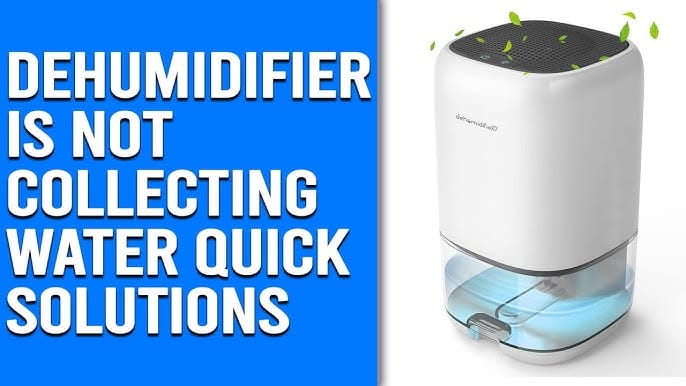
Next, inspect the water tank. Most dehumidifiers will not operate if the tank is full or not seated correctly. Remove the tank, empty it if necessary, and ensure it clicks back into place securely. Also, check the unit's settings; if the humidity level is set too high (e.g., 70% when the room is already at 50%), the dehumidifier may not see a need to run.
Finally, examine the unit for any obvious blockages. Ensure that the air intake and exhaust vents are clear of dust, debris, or furniture. Restricted airflow is a common reason why a dehumidifier isn't working properly, as it prevents the unit from drawing in moist air and expelling dry air.
2. Clean or Reset the Parts That Commonly Cause Trouble
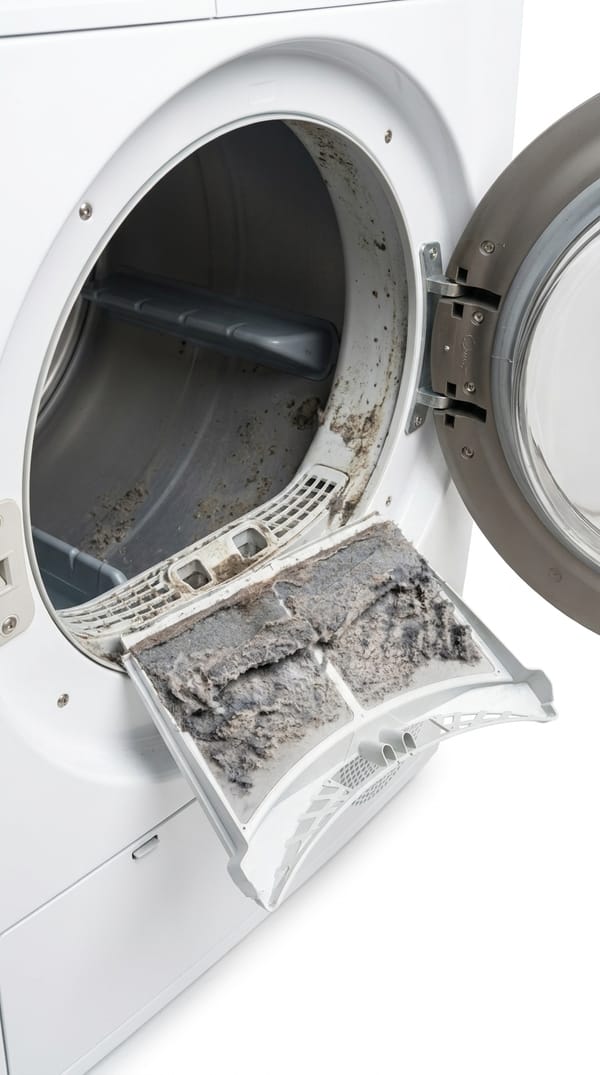
The air filter is a prime suspect for reduced performance. Most filters are washable or replaceable. Consult your dehumidifier's manual for specific cleaning instructions. A clogged filter drastically reduces airflow, making the unit work harder and less effectively. Cleaning this regularly can often solve performance issues.
Many modern dehumidifiers have a reset function. Try unplugging the unit from the power source for at least 30 seconds to a minute, then plug it back in. This "hard reset" can clear temporary electronic glitches that might be preventing it from operating. Some models may also have a specific reset button; check your user manual.
If your unit has an external drain hose, ensure it isn't kinked or clogged. A blocked drain hose can prevent the unit from emptying properly, leading to the full tank shut-off even if the tank itself isn't visibly full. Check the connection point and the hose itself for any obstructions.
3. Watch for Signs the Problem Is More Serious
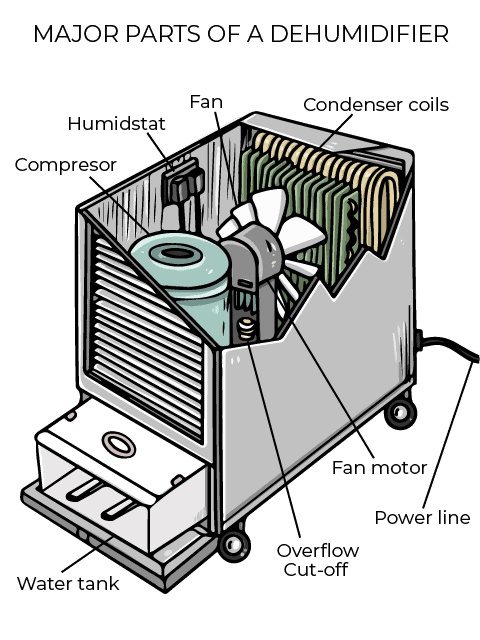
If you notice unusual noises like grinding or excessive rattling, this could indicate a problem with the fan motor or compressor. These are internal components that are not safe for DIY repair.
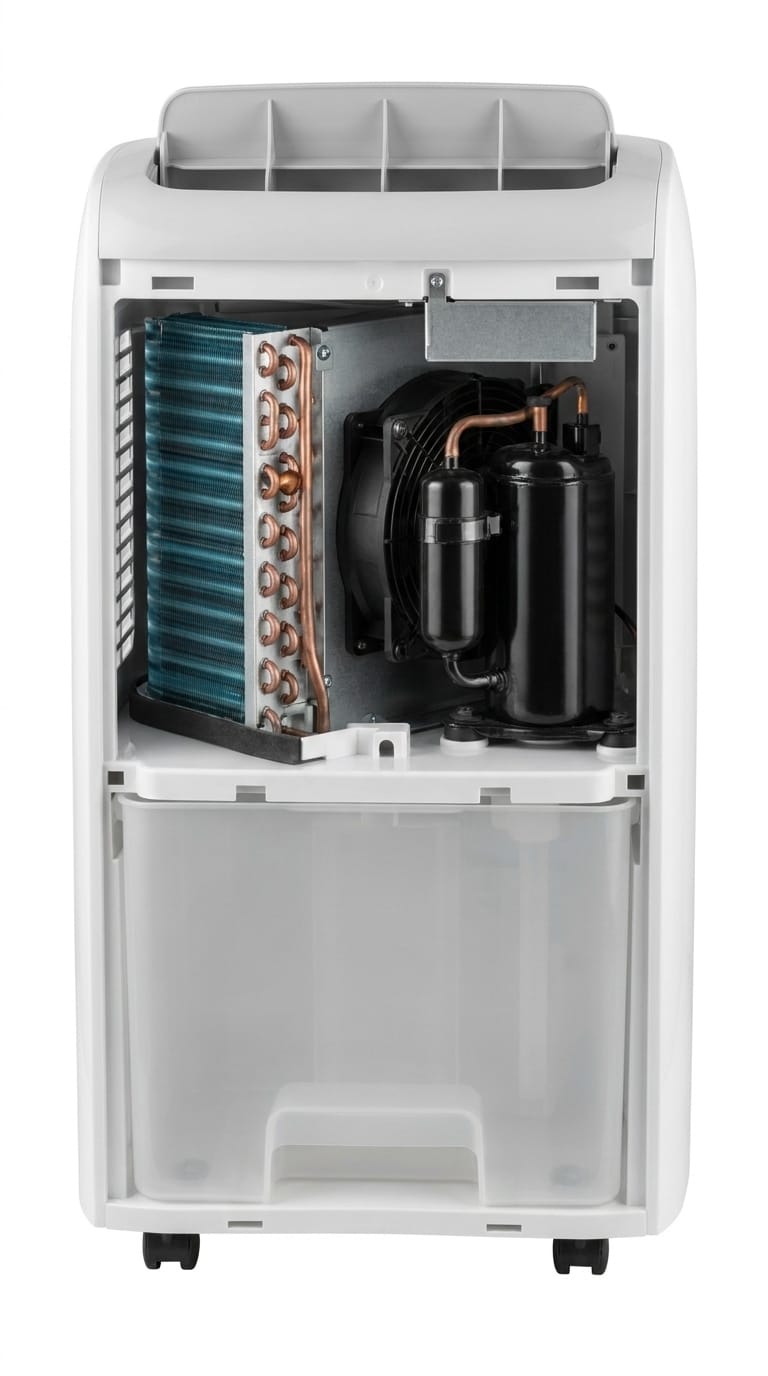
Look for signs of frost buildup on the coils inside the unit. While some minor frost can occur in very humid, cool conditions, significant or persistent frost indicates a potential issue with the refrigerant system or airflow, which requires professional attention.
Any burning smells or visible damage to the power cord or casing are serious warning signs. These indicate potential electrical hazards and mean you should immediately stop using the unit and seek professional assessment or consider replacement.
What Not to Do
- Do not attempt to open the sealed internal components. Dehumidifiers contain refrigerants and electrical systems that can be dangerous if tampered with by untrained individuals.
- Do not run the unit if it shows signs of electrical damage. A burning smell, frayed cord, or sparks are serious safety hazards.
- Avoid using makeshift repairs. Using tape or other temporary fixes on electrical components or structural parts can lead to further damage or safety risks.
- Don't ignore error codes without checking the manual. If your unit displays an error code, consult your owner's manual for its specific meaning before assuming the worst.
- Do not operate in temperatures outside the manufacturer's recommended range. Running a dehumidifier in conditions it wasn't designed for can cause damage and poor performance.
Should You Repair, Replace, or Upgrade?
Deciding whether to repair, replace, or upgrade hinges on several factors. If your dehumidifier is relatively new (under 2-3 years) and the issue is a minor, fixable problem like a clogged filter or a faulty water tank sensor, repair might be cost-effective. However, if the problem involves the compressor or refrigerant system, repairs can often be as expensive as buying a new unit.
Consider the age of your dehumidifier. Most units have a lifespan of about 5-10 years. If your dehumidifier is nearing the end of its life, especially if it's experiencing recurring issues, replacement is usually the more sensible long-term solution. Newer models often offer better energy efficiency and improved features.
If your current dehumidifier consistently struggles to keep up, or if you're looking for enhanced features like smart connectivity, quieter operation, or a larger capacity for a bigger space, then upgrading to a newer, more capable model is a good option. Think about how central the dehumidifier is to your home's comfort and health – a persistent problem in a critical area might warrant an immediate upgrade.
How to Prevent This Problem Next Time
- Clean the air filter regularly: Aim for at least once a month, or more often in dusty environments. A clean filter is key to efficient operation.
- Empty the water tank promptly: Don't let the tank overflow. If you use a continuous drain hose, ensure it's properly connected and not kinked.
- Ensure proper placement: Keep the unit away from walls and furniture to allow for unrestricted airflow. Avoid placing it in direct sunlight or near heat sources.
- Monitor ambient temperature: Operate the dehumidifier within its recommended temperature range to prevent damage and ensure effective performance.
- Perform periodic deep cleans: Once or twice a year, clean the interior accessible parts (like the fan blades and coil fins, if safely accessible per your manual) to remove accumulated dust and debris.
- Listen for unusual noises: Pay attention to any new sounds your dehumidifier makes, as they can be early indicators of potential problems.
Related Buying Advice
When choosing a new dehumidifier, consider the size of the space you need to dehumidify. Manufacturers typically provide capacity ratings based on square footage and "pints per day" removal. For larger homes or very damp basements, look for higher capacity units. If noise is a concern, check decibel ratings, as some models are significantly quieter than others.
Energy efficiency is another critical factor. Look for ENERGY STAR certified models, which can save you money on electricity bills over time. Features like auto-defrost, automatic shut-off, and continuous drainage options add convenience and can prevent common operational issues you might encounter with simpler models.
If you've experienced issues with specific brands, like a GE dehumidifier not working or a Waykar dehumidifier not working, researching reviews for reliability and customer support for different manufacturers can be very helpful. Some brands offer longer warranty periods, providing peace of mind.
Frequently Asked Questions
Why is my dehumidifier not working properly?
If your dehumidifier is running but not collecting much water, check the air filter for clogs, ensure vents are unobstructed, and verify the humidity setting is lower than the room's current humidity. If these are fine, the unit might be undersized for the space or have an internal issue.
Why is my dehumidifier not turning on?
First, ensure it's plugged into a working outlet and that the circuit breaker hasn't tripped. Check if the water tank is properly seated. If none of these resolve the issue, there might be a problem with the power cord, internal wiring, or control panel, which would require professional inspection.
Why is my dehumidifier not collecting water as well as it used to?
This often indicates a clogged air filter, restricted airflow due to dust buildup on coils, or that the unit is simply nearing the end of its lifespan. Regular maintenance, especially cleaning the filter and ensuring good ventilation, can help restore performance. If the unit is old, its components may be degrading.
Why is my GE (or other brand) dehumidifier not working?
While specific brand issues can occur, the troubleshooting steps remain largely the same. Start with power, water tank, filter, and airflow checks. Consult your specific GE, Waykar, Pelonis, Honeywell, Ninesky, Meaco, or other brand's user manual for model-specific troubleshooting tips or error codes.
Can I fix a dehumidifier that's not collecting water myself?
You can safely fix many common issues yourself, such as cleaning filters, emptying the water tank, clearing vent obstructions, and performing a hard reset by unplugging the unit. However, if the problem involves internal components like the compressor, fan motor, or refrigerant, it's best to call a qualified appliance repair technician.